This guide shows the steps required to enter a Device Identifier to an X-Series
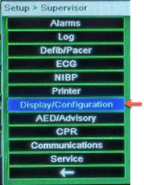
- Enter the Supervisor menu
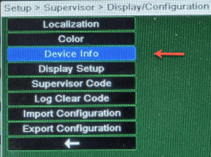
- Select ‘Display/Configuration’
- Select ‘Device Info’
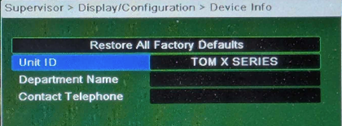
- Select ‘Unit ID’
- Enter the desired name for this defibrillator
- This will not copy between defibrillators when you export/import configurations from a USB