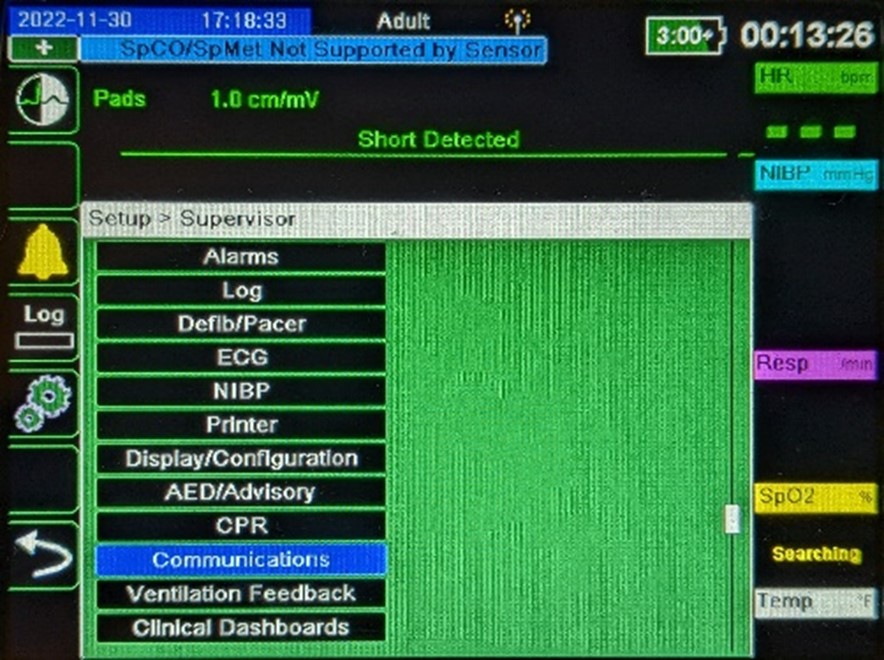
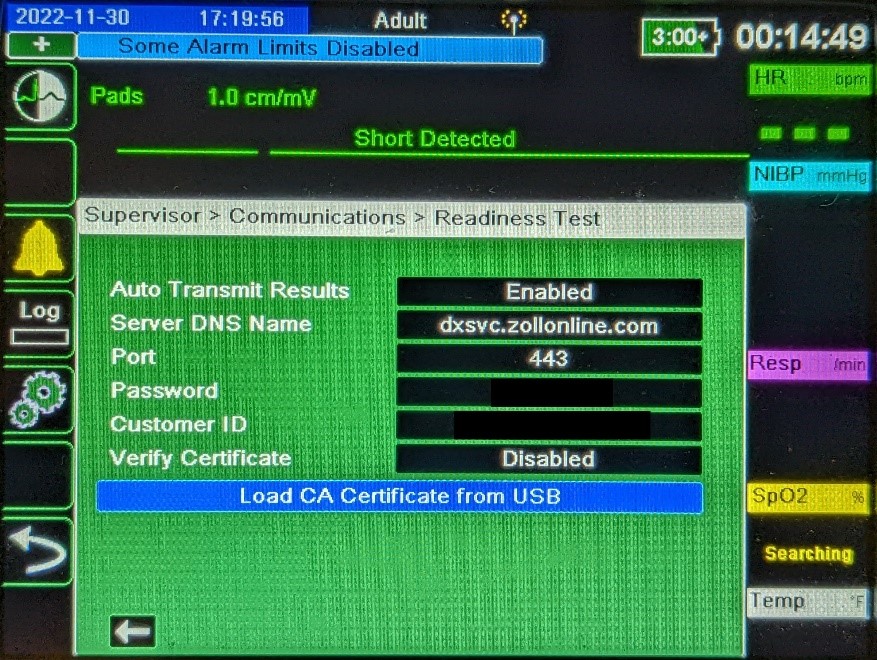
- From the Supervisor menu, select 'Communications'
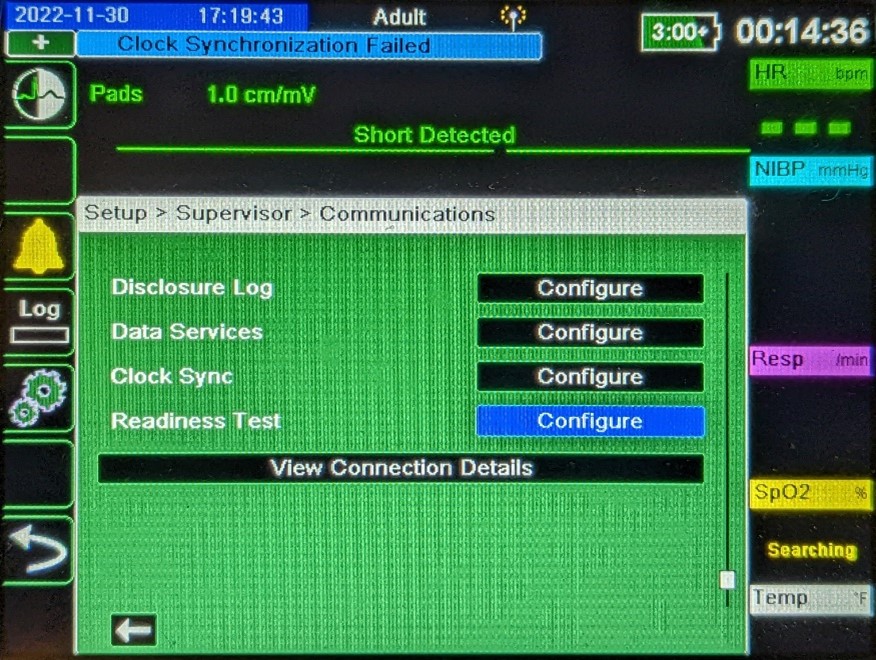
- Using the arrow softkeys, scroll down to 'Readiness Test' and select 'Configure'
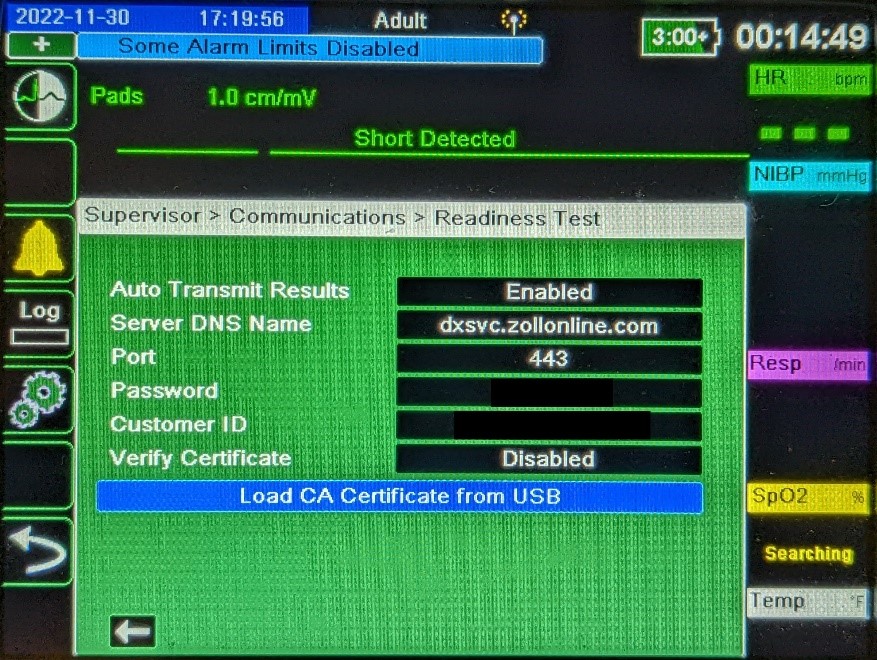
- Fill in the required information:
- For the Server DNS Name:
- US Cloud Customers: dxsvc.zollonline.com
- Canadian Cloud Customers: dxsvc.ca.zollonline.com
- In-Premise customers: enter the URL (recommended) or IP address as provided by your IT department.
- The Port will be 443 unless otherwise specified by your IT department.
- Cloud Customers can get your Password and Customer ID from your ZOLL Online Administrator (The Data Access Key "Alternate ID" goes in the Customer ID field, and the "Password" goes in the Password field).
- In-Premise Customers can get your Password and Customer ID from your IT department.
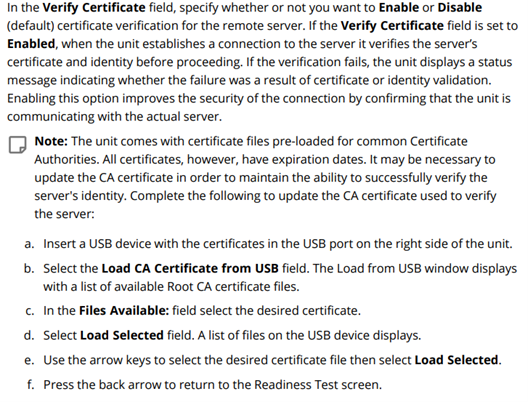
- Your IT department will inform you if a separate CA cert will be necessary for your device.
- For the Server DNS Name:
- When you have finished, select the arrow at the bottom of the window to return to the Communications configuration menu – this saves your changes.