(Note: If you’ve just inserted the battery, the AED3 will self-test then enter Rescue mode. Hold in the power button to shut down the AED.)
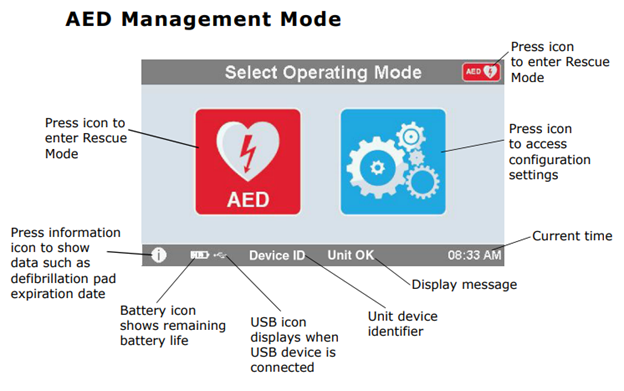
With the AED off, hold in the power button until the word ZOLL shows on the screen.
(The ZOLL image will go away in approximately 20 seconds.)- On the ‘Select Operating Mode’ screen, select the blue gears icon for configuration mode.
Select the padlock icon.- Enter the Supervisor Passcode and press ‘OK’


You are now at the “Advanced Configuration” menu where all clinical and non-clinical AED settings can be changed.