- Press the Home softkey to return to the home screen of the X-Series
- Ensure the X-Series is connected to a wireless network
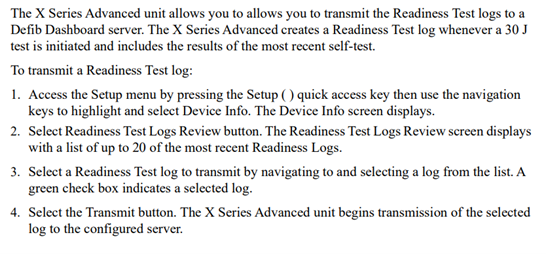
- Readiness Test Results
- AUTOMATIC SUBMISSION
- Perform a 30-Joule charge/discharge test. The green light on top of the X-Series should illuminate and a message should appear in the top left corner that says ‘Readiness: Connecting…’. Once the unit has finished transmitting the readiness test results it will read ‘Readiness: Transmission Complete’
- MANUAL SUBMISSION:
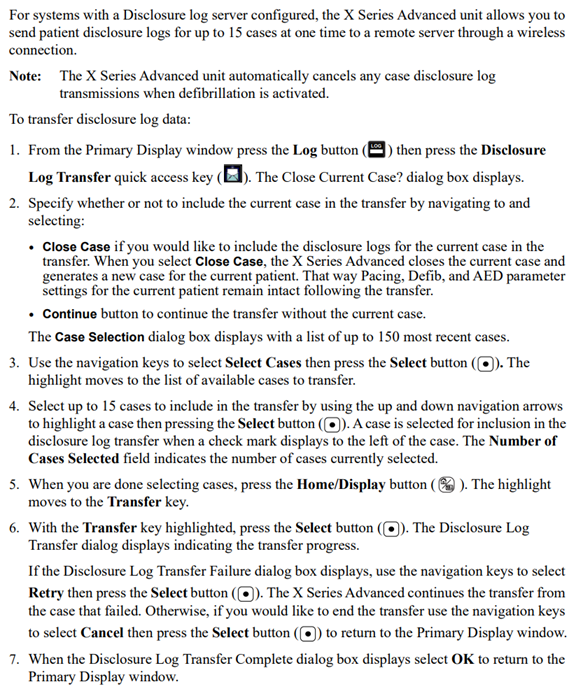
- Disclosure Log Transfer
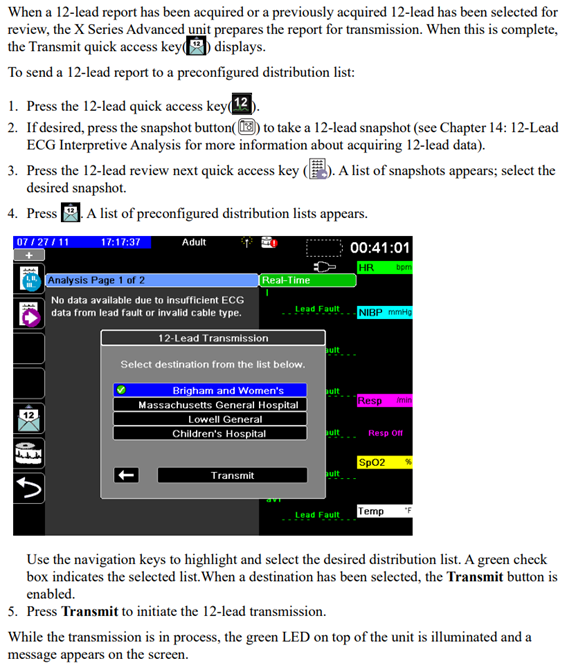
- 12-Lead Reporting
- Remote View
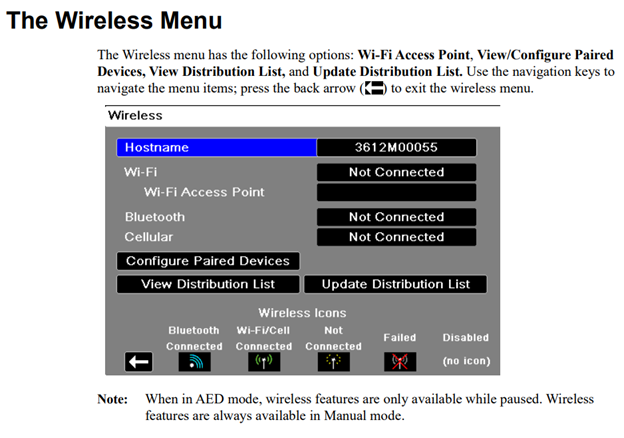
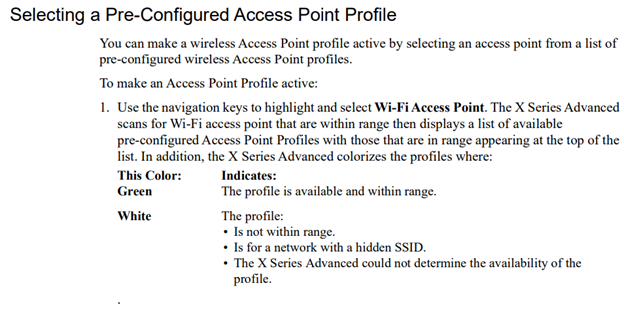
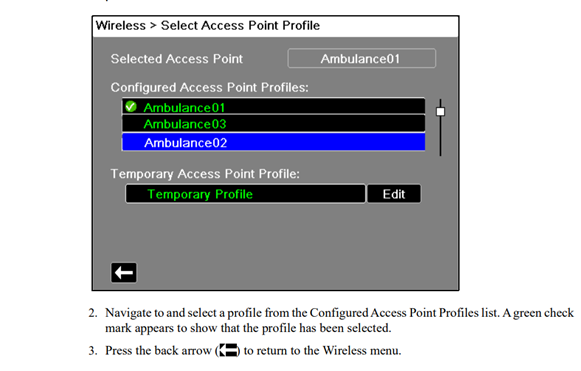
FOR INSTRUCTIONS ON CONNECTING YOUR DEVICE TO ANOTHER TYPE OF WIRELESS NETWORK, PLEASE REFERENCE THE COMMUNICATIONS CHAPTER OF THE X-SERIES OPERATORS MANUAL, VISIT: https://www.zoll.com/medical-products/product-manuals
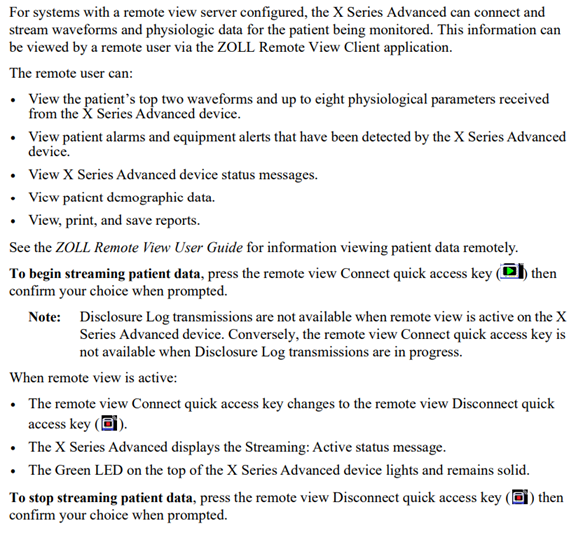
To watch a video tutorial on using Remote View, visit: https://view.highspot.com/viewer/639365b2f94856de491a020c